
7 Local Listing Mistakes That Are Costing You Customers
· By LocalBizUS
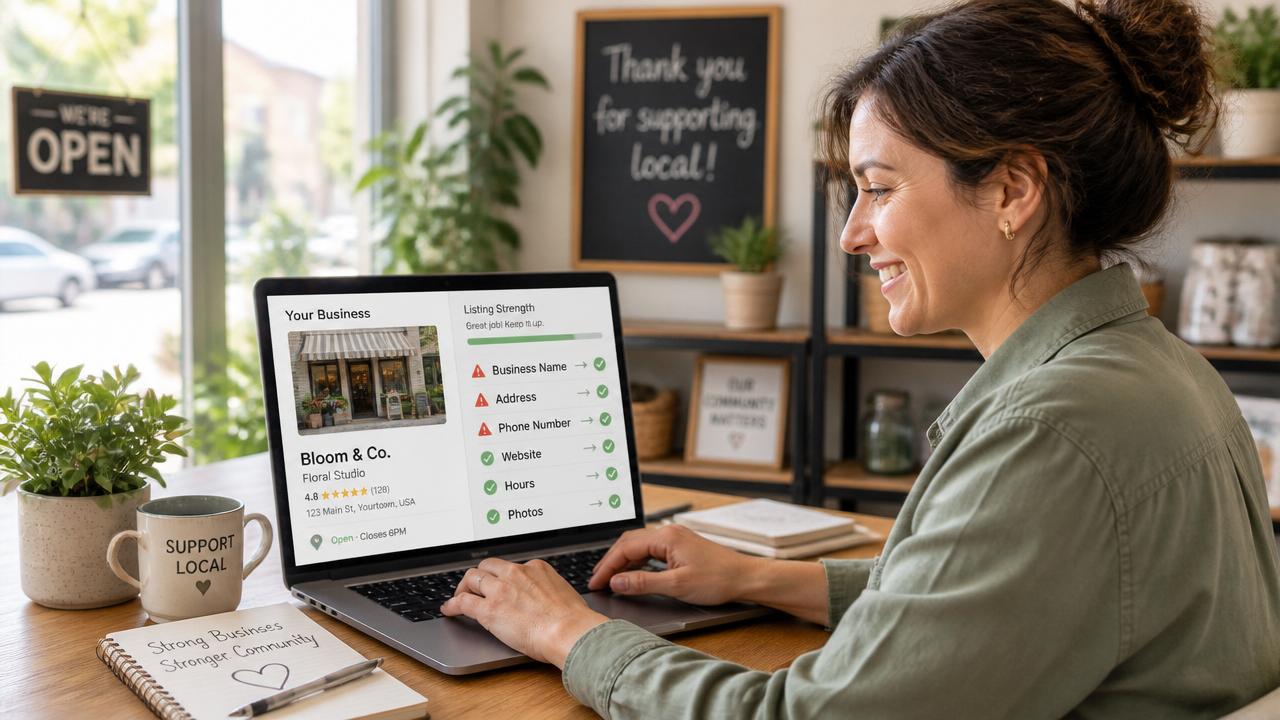
Your business is online — so why is the phone still quiet?
It is a frustrating situation many small business owners know well. You have a website, a Google listing, maybe a Facebook page. You are technically visible online. Yet the calls are sporadic, the foot traffic is uneven, and the customers you know you could serve are choosing someone else.
Often the problem is not that people cannot find you. It is that what they find is confusing, outdated, or incomplete. Local listings are the first impression most customers get, and small mistakes can quietly push them toward a competitor. The good news is that most of these mistakes are easy to fix — and fixing them can deliver fast, noticeable results.
Here are the seven most common local listing mistakes costing small businesses customers every day, plus the simple steps to correct them.
7 Local Listing Mistakes That Are Costing You Customers
Mistake #1: Inaccurate or Inconsistent Business Hours
Nothing frustrates a potential customer more than arriving at a storefront that is unexpectedly closed. Wrong hours lead to wasted trips, disappointed visitors, and negative word-of-mouth — not to mention lost sales.
How to fix it: Keep your hours identical across Google, your website, your social pages, and every directory you are listed in. Update promptly for holidays, seasonal changes, and special closures.
Mistake #2: Name, Address, and Phone Number (NAP) Inconsistencies
NAP stands for Name, Address, and Phone. Even small differences — "Suite 100" on one site and "Ste. 100" on another, or a cell number on your Facebook page and a landline on Google — can confuse both customers and search engines. Inconsistent information weakens trust and can hurt your rankings.
How to fix it: Choose one standard format for your business name, address, and phone number. Use that exact version everywhere, and audit your listings at least twice a year to catch drift.
Mistake #3: Missing or Low-Quality Photos
Listings without photos feel empty, outdated, or even suspicious. Customers want to see your storefront, your team, and your work before they commit to a visit or a call. Businesses with quality images consistently get more engagement and higher trust scores.
How to fix it: Add at least four essential photos — your exterior, your interior, your team, and examples of your products or services. A smartphone with good lighting is enough; authenticity beats perfection.
Mistake #4: Weak or Generic Business Descriptions
Phrases like "We offer great service" do not tell anyone what you actually do, who you serve, or why they should choose you. A vague description leaves the customer guessing and gives search engines nothing specific to rank you for.
How to fix it: Use a simple formula — what you do, who you serve, what makes you special, and a clear call to action. For example: "We are a family-owned bakery in downtown Portland serving fresh sourdough, custom cakes, and gluten-free treats daily. Stop by this morning or order online for pickup."
Mistake #5: Wrong or Overly Broad Categories
Choosing vague categories like "Services" or "Professional" makes it much harder to show up when someone searches for exactly what you offer. Specific categories help search engines match you to the right queries.
How to fix it: Select the most precise category available for your primary service — "Plumber," "Tax Preparation Service," or "Italian Restaurant" — and add relevant secondary categories if the platform allows.
Mistake #6: Ignoring Reviews (or Never Asking for Them)
Reviews are one of the strongest trust signals in local search. Many customers read reviews before they ever call or visit. An empty review section looks neglected. An unanswered negative review looks like you do not care.
How to fix it: Ask satisfied customers for reviews in person, by email, or through a follow-up message. Then reply to every review — thank the positive ones, and address the negative ones calmly with an offer to make it right.
Mistake #7: "Set It and Forget It" Listings
A listing you created two years ago and never touched is likely outdated. Phone numbers change, hours shift, services evolve, and staff turnover happens. An unmaintained listing quietly becomes less accurate and less visible over time.
How to fix it: Schedule a quick monthly listing checkup. Verify your details, add a fresh photo, respond to any new reviews, and update seasonal information. Ten minutes a month keeps your listing sharp and trustworthy.
How LocalBizUS Helps You Avoid These Mistakes
LocalBizUS is built specifically to help small businesses keep their listings accurate, complete, and attractive. Instead of juggling multiple profiles across the web, you get one clean, powerful profile that supports everything customers need to know.
- Consistent NAP: Your LocalBizUS profile reinforces the same name, address, and phone everywhere you appear online.
- Rich media and descriptions: Add photos, detailed service descriptions, and precise categories that help the right customers find you.
- Review support: Collect and display customer feedback in one place, making it easy to build social proof.
- Simple updates: Log in, make a change, and it is live. No technical hurdles, no long wait times.
Start Fixing Your Listing Today
You do not need to fix all seven mistakes at once. Pick the top one or two that apply to your business, spend twenty to thirty minutes on them, and watch how quickly things improve.
Claim or update your LocalBizUS listing today and turn those quiet listing pages into customer magnets.
Want to be discovered locally? List your business on LocalBizUS.